
- 0
- 813 words
Aureum | Flutter Digital Banking App with a Next.js Web Companion
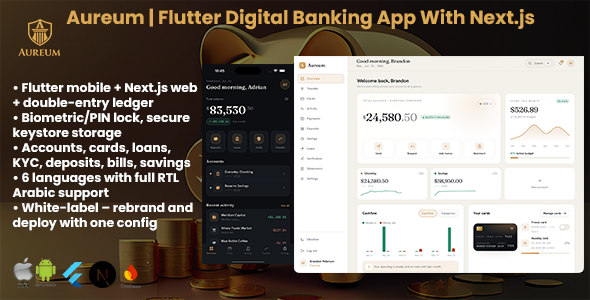
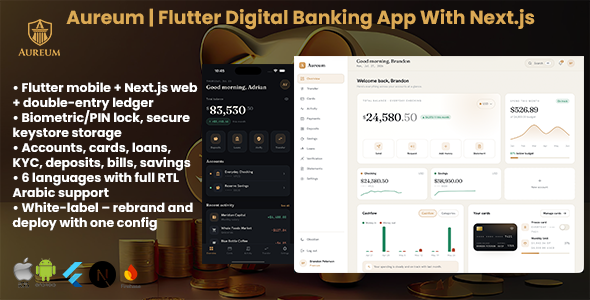
Aureum is a production-grade Flutter neobank app you can rebrand and ship. The Flutter mobile app is the headline: a complete customer banking experience with biometric app lock, secure token storage, push notifications, and six languages including full right-to-left Arabic. It is backed by a matching Next.js web application that bundles a full customer web app and a role-gated operator back-office in one codebase (PostgreSQL). Every balance is derived from a real double-entry ledger, so there is never an editable “balance” field anywhere.

The Flutter app
- Full customer banking on mobile: accounts and transfers, cards, deposits, loans, KYC, savings goals, bill payments, statements, and notifications: the same feature set as the web app, in a native Flutter 3 client.
- Secure by design: biometric or PIN app lock, auth and session tokens plus card PINs stored in the platform keystore (Keychain on iOS, Keystore on Android) via flutter_secure_storage, never in plain preferences.
- Push notifications through Firebase Cloud Messaging (optional; the app runs on demo data without it).
- Shared design language and localization: the app mirrors the web design and switches across all six languages on the fly, flipping the entire layout to right-to-left for Arabic.
- Clean, buildable source: real Dart source (no default template text), explicit Android compileSdk/targetSdk, and a project README. Point it at your server with one —dart-define and run.

The Next.js web companion
- Customer web app: accounts and transfers (internal, domestic, international SWIFT with disclosed fees), virtual and physical cards (freeze, channel toggles, limits, secure reveal), recurring and fixed deposits (DPS and FDR) with live maturity projection, loans with an amortized EMI schedule, tiered KYC (document plus selfie plus address), savings goals, bill payments, statements (PDF, Excel, CSV), notifications, and a command palette.
- Operator back-office: a role-gated console (super admin, compliance, finance, support, read only) with live queues, a customer directory, KYC review, transfer approvals, loan approval and disbursement, deposit oversight, a ledger explorer, reasoned balanced manual postings (no “set a balance” button), an immutable audit log, and a full settings panel.
- A real double-entry ledger: money is stored as integer minor units and every balance is the sum of its postings. The whole book reconciles to zero per currency.


Rebrandable without touching code
Switch the brand name, tagline, accent color, logo, and default theme from one config file or live from admin, and the change flows to both the web app and the mobile app. Toggle whole modules (deposits, loans, KYC, cards, payments, savings, international transfers, statements) on or off with feature flags; a disabled module disappears from the navigation and its route is guarded. Edit product rates, fee schedules, and per-tier limits from config or admin.

Localization and RTL
Six languages ship out of the box: English, Arabic (right-to-left), Spanish, French, Bengali, and Hindi. The mobile app and the web app both switch language on the fly and flip the entire layout to right-to-left for Arabic. Money, dates, and numbers are locale aware.
Built for developers, usable by non-technical buyers
- Stack: a Flutter 3 mobile client plus Next.js 15 (App Router, React 19, TypeScript, strict mode) with PostgreSQL and Drizzle ORM.
- Guided web installer: a first-run browser wizard (requirements, database, admin account, branding, finish) with a self-locking install file, so a non-technical buyer can bring the backend live without editing files.
- Clean, documented source: no vendor or build output shipped. You run npm install and npm run build for the web app and flutter pub get for the app; nothing is minified or obfuscated.
- Full HTML documentation is bundled and covers installation, the config file, rebranding, localization, feature flags, the admin console, the ledger, the Flutter app (build, Firebase, release signing), and all optional integrations, with an “Expected” outcome on every step.
Live demo and test logins
Live demo: https://aureum.foundrcode.com
- Customer: brandon.peterson@example.com / AureumDemo!
- Operator (admin, opens /admin): operator@example.com / AureumDemo!
The Android build of the Flutter app is linked as a “Download for Android” button on the live demo landing page.
Third-party services and costs
Aureum runs fully on the bundled demo data with zero third-party accounts. Optional integrations (transactional email, live support chat, and push notifications) are each independent sign-ups. When you enable one, that provider bills you directly under your own account. All such third-party fees are billed by those providers and are not included in the price of this item. Every integration can be left unconfigured, and each has a documented drop-in alternative.
Documentation and support
The bundled documentation is also published online and is beginner friendly. If you need a hand after purchase, reach out through the item support tab.
Aureum is sold as banking software. Operating a regulated financial institution requires the appropriate licenses and approvals in your jurisdiction; that is the operator’s responsibility, not part of this item.
Author

abcdmedia7@gnmail.com
Related Posts
FinanceLend SaaS – Loan Management Solution
- 0
- 459 words
LIVE PREVIEWBUY FOR $39 Overview The Loan Management Solution is a robust, scalable, and user-friendly software solution designed to streamline the management...
DramaNow | Flutter App Short Drama Platform
- 0
- 939 words
LIVE PREVIEWBUY FOR $19 DramaNow is a cross-platform Flutter mobile application (iOS & Android) for streaming short-form vertical dramas — bingeable, episodic...

FoodPilot | Restaurant App With Laravel Backend
- 0
- 409 words
LIVE PREVIEWBUY FOR $29 FoodPilot | Restaurant Management System PHP Script FoodPilot is a modern, all-in-one restaurant management system built to streamline...
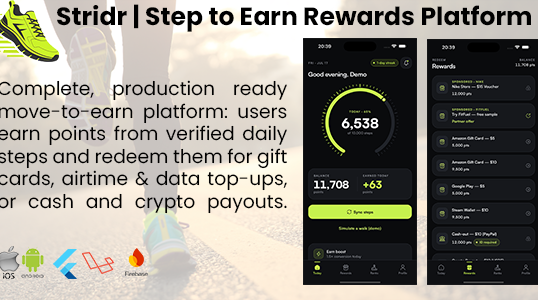
Stridr | Step-to-Earn Rewards Flutter App With Laravel Backend
- 0
- 867 words
LIVE PREVIEWBUY FOR $39 Stridr | Step-to-Earn Rewards Platform (Laravel and Flutter, Full Source) Stridr is a complete, production-ready move-to-earn platform: users...

Prosper | Stock Trading Flutter App With Laravel Backend
- 0
- 948 words
LIVE PREVIEWBUY FOR $99 Prosper is a Flutter mobile app plus a Laravel + Filament backend and marketing site for a retail...
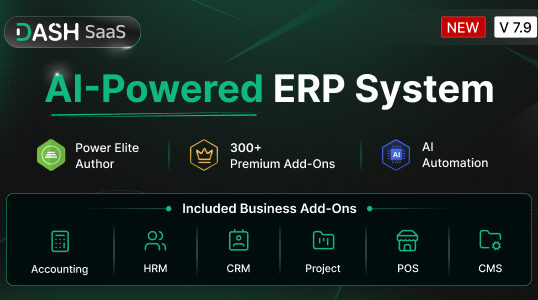
WorkDo Dash SaaS – Open Source ERP
- 0
- 1,052 word
LIVE PREVIEWBUY FOR $49 Open Source ERP, Business Management Software With CRM, HRM, Accounting, Project Management WorkDo’s Dash SaaS is a comprehensive...