
- 0
- 1,020 word
Almond – Calorie AI Flutter Nutrition & Fitness Tracker
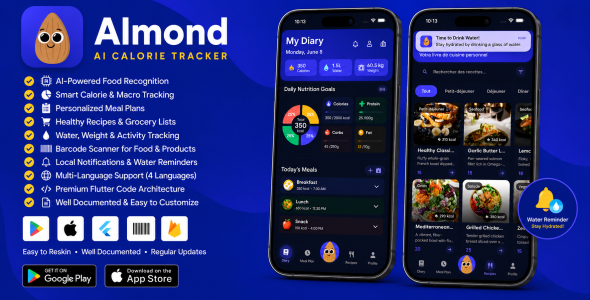
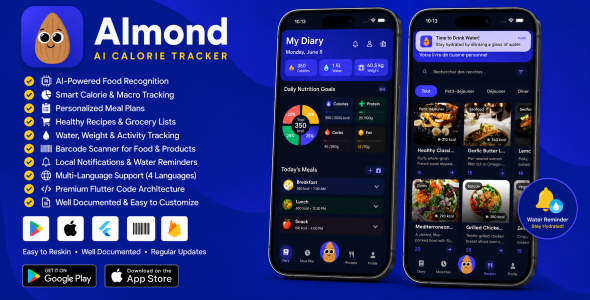
Almond is a complete, production-ready Flutter mobile application for iOS and Android — a smart Calorie AI health companion that helps users track nutrition, log meals, monitor water intake, manage weight goals, follow structured meal plans, and browse detailed recipes — all in one beautiful, modern app.
Built with clean architecture, Firebase Firestore integration, local SQLite caching, GetX routing, and Provider state management. Includes AI-powered food recognition, voice search, barcode scanning, BMR-based calorie calculations, premium subscription flow, multi-language support, and full interactive developer documentation.
Try the App
Demo APK Included
A pre-built demo APK is included in the download package under demo/.
Install it on your Android device to test onboarding, calorie tracking, meal plans, recipes, and more — no build required.
Android only | Enable “Install from unknown sources” if prompted | Internet required for Firebase features
Why Almond?
- Calorie AI powered — AI food image recognition, voice search, and smart calorie tracking
- All-in-one health hub — Diary, meals, water, weight, activity, recipes, and meal plans
- Firebase + SQLite hybrid — Cloud catalog with fast offline local storage for user progress
- Premium UI/UX — Staggered animations, dark theme, custom Gilroy typography, Material 3
- Developer friendly — Named GetX routes, dependency injection, seed data, and HTML documentation included
Core Features
Important — External costs not included:
AI food photo recognition requires a paid OpenAI API subscription
(billed separately by OpenAI per use). Firebase may also incur charges beyond the free tier
depending on your usage. These costs are not included in the purchase price.
1. Calorie AI & Smart Food Logging
- AI food image recognition — Snap a photo and identify food items (OpenAI integration via .env)
- Barcode scanner — Scan product barcodes to log meals instantly
- Food search powered by Cloud Firestore (foods collection)
- Log meals with full calorie and macronutrient breakdown
- Nutrition goals screen with interactive line charts
2. Smart Onboarding Questionnaire
- 8-step animated wizard with custom vertical weight sliders
- Collects age, gender, height, weight, goal type, and activity level
- Calculates daily calories using the Mifflin-St Jeor BMR formula
- Activity multipliers: Sedentary, Lightly Active, Moderately Active, Very Active
- Persists goals to SQLite and skips onboarding on next launch
3. Diary Dashboard (Main Hub)
- Central home screen with date-driven stats synced via SelectedDateProvider
- Custom TableCalendar week strip for day-by-day navigation
- Aggregated panels: Nutrition, Meals, Water, Weight, and Activity
- Premium staggered slide/fade animations on load
- Quick stat indicators in the app bar
4. Water Tracker
- Daily water intake logging with quick-add buttons
- Customizable daily water goals
- Water history and analytics
- Local push notifications for hydration reminders
- Timezone-aware scheduling
5. Weight Tracker & Goal Management
- Log weight entries with kg/lbs unit conversion
- Weight charts and analytics screens
- Goal management: current weight, target weight, goal type, activity level
- Smart recalculation prompt when goals change significantly
- Consistency tracking over time
6. Activity Tracker
- Log physical activities and active minutes
- Activity details drawer with calorie burn calculations
- Integrated into the diary dashboard
7. Meal Plans
- Browse structured meal plan templates (Weight Loss, Keto, Muscle Building, and more)
- Week-by-week calendar view with day strips
- Meal completion checklists persisted in SQLite
- Premium lock/unlock for paid plans
- Pull-to-refresh sync from Firebase
- Grocery / shopping list auto-generated from plan ingredients
8. Recipes Browser & Details
- Recipe catalog from Firestore (recipes collection) — 24 seed recipes included
- Recipe detail with NestedScrollView collapsing header
- Dynamic serving size multiplier — ingredients scale automatically
- Tabs: Ingredients, Directions, Nutrition macros
- Cached network images for fast loading
- Push ingredients to shopping list
9. Shopping Lists
- Compiled grocery lists from meal plans and recipes
- Grouped ingredient views for easy shopping
10. Profile & Settings
- Multi-language support: English, French, Spanish, Arabic
- Dark / light theme toggle
- Notification preferences
- Nutrition goals configuration
Technical Architecture
| Framework | Flutter (Dart SDK 3.0+) |
| State Management | GetX (routing, DI, controllers) + Provider (theme, date sync) |
| Backend | Firebase Core + Cloud Firestore |
| Local Database | SQLite (sqflite) for user logs, meal progress, goals |
| AI Features | OpenAI food recognition |
| Configuration | flutter_dotenv — .env.debug / .env.release |
| Charts | fl_chart, Syncfusion Flutter Charts |
| Animations | flutter_animate, flutter_staggered_animations, Lottie |
| Platforms | iOS and Android (native config files included) |
Firebase & Data Layer
- recipes — Full recipe documents (ingredients, directions, nutrition)
- foods — Searchable food items with serving arrays
- meal_plans — Plan metadata, recipeIds, macro profiles
- Auto-seeders on first launch (24 recipes, 10 foods, 3 meal plans)
- Hybrid sync — Firestore for catalog; SQLite for user state (active plan, completions, shopping)
- Configurable via .env: USE_FIREBASE, SEED_FIREBASE_* flags
What’s Included
- Full Flutter source code (iOS + Android)
- Interactive documentation.html with architecture diagrams, module deep-dives, and setup guide
- Firebase seed data (recipes, foods, meal plans)
- Custom Gilroy font family (multiple weights)
- App icons and asset pack
- Multi-language JSON files (assets/lang/)
- Environment configuration templates (.env.debug, .env.release)
- Pre-built demo APK in the
demo/folder (Android) - Subscription screen with IAP product ID placeholders
Quick Setup
- Install Flutter SDK (3.0+)
- Run
flutter pub get - Create a Firebase project and enable Cloud Firestore
- Add google-services.json (Android) and GoogleService-Info.plist (iOS), or run
flutterfire configure - Set USE_FIREBASE=true in .env.debug
- Run
cd ios && pod install && cd .. - Run
flutter run
Full step-by-step instructions are in the included documentation.html file.
Requirements
- Flutter SDK 3.0+
- Dart 3.0+
- Xcode (for iOS builds)
- Android Studio / Android SDK (for Android builds)
- Firebase account (for cloud data)
- OpenAI API key (optional — for AI food image recognition)
App Navigation Flow
Splash → Onboarding Questionnaire (first launch) → Main Tabs:
- Tab 1: Diary (Nutrition, Meals, Water, Weight, Activity)
- Tab 2: Meal Plans → Plan Detail → Shopping List
- Tab 3: Recipes → Recipe Detail → Shopping List
- Tab 4: Profile and Settings
Support & Custom Development
For general questions about setup and features, please use the
CodeCanyon comments section — I am happy to help there.
Want Further Development?
I am available for custom features,
Calorie AI enhancements,
Firebase setup,
branding,
IAP configuration,
and App Store / Google Play deployment support.
Typical response within 24-48 hours
Important Notes
- Firebase project and API keys are not included — you must create your own Firebase project
- IAP product IDs are placeholders — configure your own in App Store Connect and Google Play Console
- OpenAI key is optional and only needed for AI food recognition features
- Seed flags should be set to false after first successful data upload
- This is a source code template — not a hosted SaaS backend
Documentation: Interactive HTML dashboard included
Author

abcdmedia7@gnmail.com
Related Posts
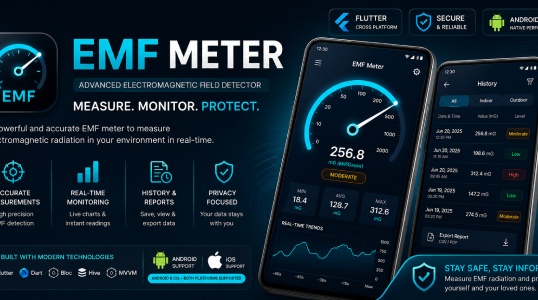
EMF Meter | Metal Detector and Magnetic Field App for Android and iOS (Flutter)
- 0
- 696 words
LIVE PREVIEWBUY FOR $29 EMF Meter: A complete metal detector & magnetic field app compatible with Android and iOS, ready to publish...
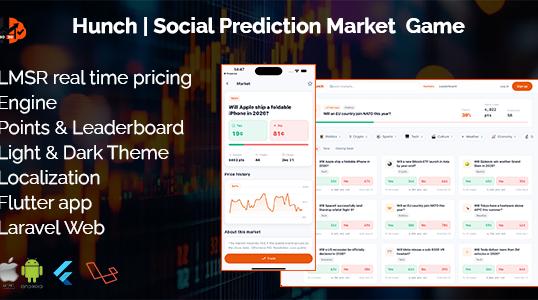
Hunch | Prediction Game Flutter App With Laravel Backend
- 0
- 788 words
LIVE PREVIEWBUY FOR $59 Build Your Own Prediction Market Prediction markets are one of the fastest-growing sectors in fintech and Web3. Platforms...
Read out all
eTaxi – Complete Taxi Booking Solution with Flutter Customer app, Driver App and Laravel Admin Panel
- 0
- 1,467 word
LIVE PREVIEWBUY FOR $19 Authentication & Profile Management Customers maintain full authority over their identity, including names, photos, and contact details. This...

Ultimate Multivendor eCommerce platform
- 0
- 468 words
LIVE PREVIEWBUY FOR $29 Ready eCommerce is a Multivendor eCommerce PHP Script with Website, Admin Dashboard, Customer App, Seller App, and Delivery...
Read out all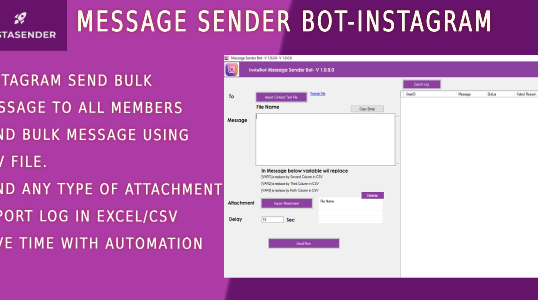
INSTAGRAM BULK DM SENDER BOT
- 0
- 368 words
LIVE PREVIEWBUY FOR $29 we just launch our cloud based tool for instagram follower scraper and instagram bulk message sender check our...