

- 0
- 1,387 word


Acnoo Pharmacy – Pharmacy Management Software SAAS App with Admin panel
is a powerful SaaS-based Pharmacy Management Software designed to streamline your pharmacy operations with a Flutter mobile app and a feature-rich admin panel. Whether you’re running a single pharmacy or a multi-store chain, this cloud-based pharmacy solution helps you manage inventory, sales, prescriptions, and billing efficiently.
Demo Url: https://acnoopharmacy.acnoo.xyz/
Admin Url: https://acnoopharmacy.acnoo.xyz/login
App Demo Credentials
shopowner@acnoo.com
123456
Super Admin Credentials
superadmin@acnoo.com
superadmin
Admin Credentials
admin@acnoo.com
superadmin
Business Credentials
shopowner@acnoo.com
123456
|
|
|
|
|
|
Offer: If you buy the extended license you will get free reskin service and full setup
Envato suggests buying an extended license for a SaaS project.
Note: You can now print a sale invoice using any bluetooth thermal printer. All new sales invoice will print automatically. You can also print previous sales invoice from sales report.
Offer: If you buy the extended license you will get free reskin service and full setup
Envato suggests buying an extended license for a SaaS project.
Note: You can now print a sale invoice using any bluetooth thermal printer. All new sales invoice will print automatically. You can also print previous sales invoice from sales report.
Key Features:
Admin Panel:
- Dashboard – Displays Total Shops, Expired Businesses, Plan Subscriptions, Total Categories, and Total Plans. Subscription Plan overview with a radar chart (Free, Standard, Premium). Finance Overview showing subscription revenue. New Registered Users section listing recent registrations.
- Store List – Manage registered stores.
- Category List – Organize product/service categories.
- Advertising – Likely for managing promotional content.
- Subscription Plan – Manage pricing and plans for users.
- Reports – View business analytics and performance metrics.
- Staff Manage – Assign roles and manage team members.
- Roles & Permissions – Set access controls for different user types.
- Settings – Configure system preferences and general settings.
App
1. Product Catalog:
2. Sales Processing:
3. Parties:
4. Sales & Purchase list:
5. Sales Edit:
6. Reports:
7. Loss/Profit:
8. Stock:
9. Inventory Management:
10. User-Role:
11. Subscription Plan:
12. Multi-User Access:
13. User-Friendly Interface:
Benefits of Acnoo Pharmacy
Grow your business effortlessly with a scalable solution that adapts to your needs.
Rely on a robust and secure Laravel backend for data integrity and reliability.
SaaS model ensures affordability with no upfront infrastructure costs.
Make informed decisions with real-time analytics accessible to super admins.
Streamline your business operations, from inventory management to sales processing, for maximum efficiency.
Super Admin capabilities provide centralized control over your entire business network.
POSpro – POS Inventory Software App(Flutter)+Super Admin(Laravel) is not just a POS system; it’s a comprehensive solution that empowers super admins and admins alike to streamline operations, enhance efficiency, and drive business growth.
Application Features:
- SaaS Ready Application with Laravel backend
- Easy to modify subscription package
- Clean Code and a well-structured project
- The single code base for both Android & iOS
- Thermal Bluetooth printer integration with automatic and manual printing
- Fully responsive UI
- Best UI & UX
- Great animation
- Easy to customize
- Free lifetime updates & stunning customer support
- Easy to integrate into your project
Flutter and Android Studio Setup Guide
Follow these steps to set up your development environment for Flutter:
Step 1: Install Flutter
Download and install Flutter by following the official instructions:
Step 2: Install Android Studio
Download and install Android Studio from the official website:
Step 3: Set Up Android Studio
- Open Android Studio.
- Go to File > Settings (on macOS, go to Android Studio > Preferences).
- Navigate to Appearance & Behavior > System Settings > Android SDK.
- Ensure that the Android SDK and necessary tools are installed.
Step 4: Configure Flutter in Android Studio
- Open Android Studio.
- Go to File > Settings (on macOS, go to Android Studio > Preferences).
- Navigate to Plugins and search for “Flutter”.
- Install the Flutter plugin and restart Android Studio.
- After restarting, open File > New > New Flutter Project to start a new Flutter project.
Step 5: Set Up Your Device
- Enable Developer Mode on your Android device.
- Enable USB Debugging from the Developer Options.
- Connect your device to your computer via USB.
Once you have completed these steps, you are ready to start developing with Flutter and Android Studio.
Version: 3.1 ( 12 April 2026 )
Language design fix.
Added language tranlation.
Update responsive issues.
Dynamic admin panel otp settings.
Web version added in the sidebar.
Change Log: https://pharmacydoc.acnoo.xyz/#change-logs
Version: 3.0 ( 22 January 2026 )
=======================
New installer added.
Added new language.
User role issues fixed.
Product management Bulk upload added to admin panel.
Product Wise discount added.
Flutter version added.
Design improvements.
Change Log: https://pharmacydoc.acnoo.com/#change-logs
Version 2. Update    11/10/2025
==========
Added multiple languages support.
Improved design.
Fixed subscription order acceptance issue.
Resolved minor issues.
Bulk upload added web and app.
Split payment  added web and app
Version 2.3 Update    03/09/2025
==========
Add Multiple Payment Methods in Sales (Mobile App).
Fixed stock-related issues in the Mobile App.
Added Cash Due Collection section in App
Integrated thermal printer & updated invoice settings in the Mobile App.
Resolved design issues.
Fixed minor issues.
Multiple Payment Methods in Sales
Added Label Printing
Added Cash Due Collection section
Dynamic fetching of Subscription Packages & Text
Changed Product Bulk Upload through API
Accept SVG and Image for all images
Added 3 types of 3-inch Thermal Invoices with Invoice Size Settings
Subscription Plan Limit check on every POST method
Dynamic Post-Sales Message, Developer Notes & Customer Notes in Invoice
Cart not cleared when changing customer, only price updated issue Foxed
Added VAT Title and VAT Number dynamic field in Profile Update
Fixed Stock-related Issue
Fixed Batch-related Bug
Optimized Code for better performance and fluency
Version 2.2 Update    09/08/2025
==========
Time zone issue fixed.
Update some design.
Cache issue fixed.
Login page dynamic.
Business settings updated.
Fixed some minor issues.
Optimize some codes.
Seeder update for dummy data.
Instructions added in payment.
Version 2.1   28/07/2025
==========
Paypal issue Fixed
Login page logo Dynamic
Manual payment issue fixed
Update app ui
Code optimized
Version 2.0  09/07/2025
==========
New packages added for the web add-on.
Add-on installation system implemented.
Authentication system updated.
Individual business shops are now accessible from the web, like in the app.
Fixed some responsive issues and update design.
New languages added.
New features portion on the subscription page has been improved.
Update Documentation.
App sales UI update
Optimized some codes
Version 1.6  02/07/2025
==========
Flutter version update 3.32.5
Optimized some codes
Version 1.5  18/06/2025
==========
Flutter version update 3.32.4
Optimized some codes
Version 1.4  07/05/2025
==========
Fixed due collection issue.
Resolved various design issues.
Updated the searching system for better accuracy.
Optimized some parts of the code for improved performance.
Version 1.3  21/04/2025
==========
Subscription bug fixed
Stock issue
Tax Setup
Optimized some codes
Version 1.2  Update: 17/04/2025
==========
1. Implemented feature to display searched products during active sale periods for easier visibility and access.
2.Low Stock Quantity Color Alert
Pharmacy Log, version 1.1 6/03/2025
==========
New package added for Laravel module.
Landing pages added.
Landing page dynamic from the admin panel.
Optimized some codes.
Initial Release
Version 1.0.0
Initial Release
- Inventory and Stock Management
- laravel pharmacy
- medical shop
- medical shop management system
- medicine management
- Multi-Store Pharmacy Management
- Online Pharmacy Management
- Pharmacy Billing Software
- Pharmacy CRM Solution
- Pharmacy Inventory System
- pharmacy management laravel script
- pharmacy management software
- pharmacy management system
- Pharmacy saas app Solution
- Pharmacy Software Integration
Author

abcdmedia7@gnmail.com
Related Posts

Barcode Manager – Barcode Generator Software-Source Code
- 0
- 446 words
LIVE PREVIEWBUY FOR $29 Barcode manager software is a tool that creates and prints Barcodes/ QRCode for products or assets. It is user-friendly...

1Stake Online Casino Script & iGaming Platform | Professional Casino Software
- 0
- 1,336 word
LIVE PREVIEWBUY FOR $500 1Stake iGaming Platform is a comprehensive technology solution designed to help you launch an online casino quickly and...
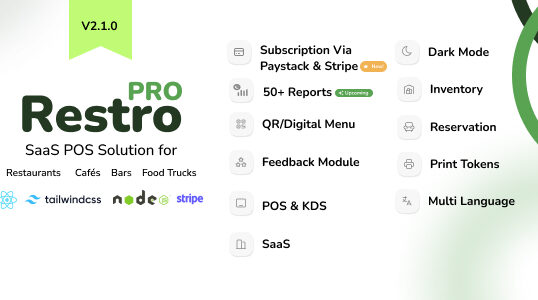
RestroPro SaaS – Restaurant POS Software React Node.js Script
- 0
- 629 words
LIVE PREVIEWBUY FOR $49 Access Demo Via Below Link & Credentials Link to Demo Email: demo@gmail.com, Password: demo ✨ New: RestroPRO SaaS...
Read out all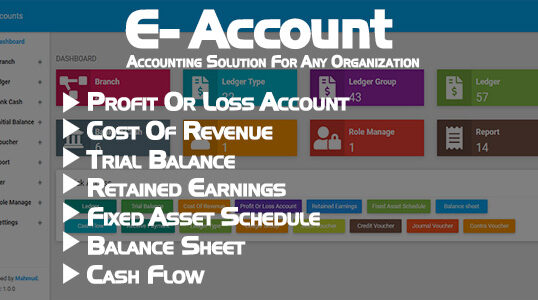
E-Account – Accounting Software for any Organization
- 0
- 219 words
LIVE PREVIEWBUY FOR $30 E-Account is a dynamic, open source, easy to use, user friendly web base application. Which is built in...
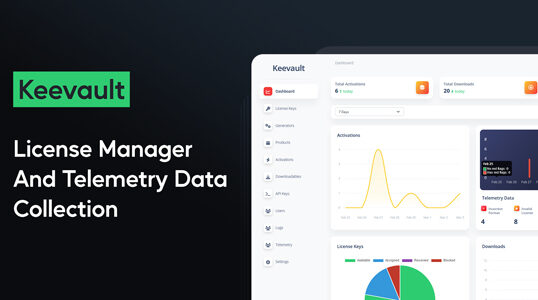
Keevault – Software License Manager and Telemetry Data Collection
- 0
- 1,132 word
LIVE PREVIEWBUY FOR $159 Keevault – The all-in-one solution for software license verification and usage and telemetry data collection. Live Demo Username:...

Loveria – Premium Dating Script – Software – Admin Panel
- 0
- 1,120 word
LIVE PREVIEWBUY FOR $59 Free Installation Offer For Web Application and for Limited time period Loveria – Premium Dating Script – Build...